VisiCalc (1979)
What it is
Section titled “What it is”VisiCalc is the original spreadsheet — the first interactive electronic spreadsheet, the killer app that sold the Apple II into accountants’ offices, the program that made personal computers worth buying. The UI it shipped in 1979 — row numbers down the left, column letters across the top, a single active-cell indicator, formula entry in a dedicated control area, arrow-key navigation, no mouse — established the entire grid-based-keyboard-driven interaction model that every spreadsheet since has either inherited from or reacted against. It is the foundational reference for “keyboard-driven grid UI.”
Aesthetic / design inspiration for KN-86
Section titled “Aesthetic / design inspiration for KN-86”- Row/column header convention. Numbers down the left, letters across the top, single active-cell address shown at the top-left (
A1,B17,IV2048). KN-86 is not building a spreadsheet, but any KN-86 surface that’s a grid-of-cells (a mission board with positional addressing, a faction map, a stats grid) is using VisiCalc’s idiom whether the author knows it or not. Cite as the historical reference. - Arrow-key navigation as the universal grid interaction. No mouse, no chord, no menu. Move with arrows; enter cell content by typing; commit with Enter or another arrow. KN-86’s keyboard-only constraint means this is exactly the right mental model — every grid surface should respond to arrows + Enter + Esc.
- Minimal chrome. A single status/entry row at the top, the rest is grid. Compare to the l123 three-line control panel — l123’s slightly larger chrome is itself a deliberate departure from VisiCalc’s tighter version. KN-86’s Row 0 / Row 24 firmware chrome is in the same lineage: minimal, fixed, always-present.
- The keyboard is the product. A 1979 lesson that’s still true. KN-86’s whole hardware story is downstream of this principle.
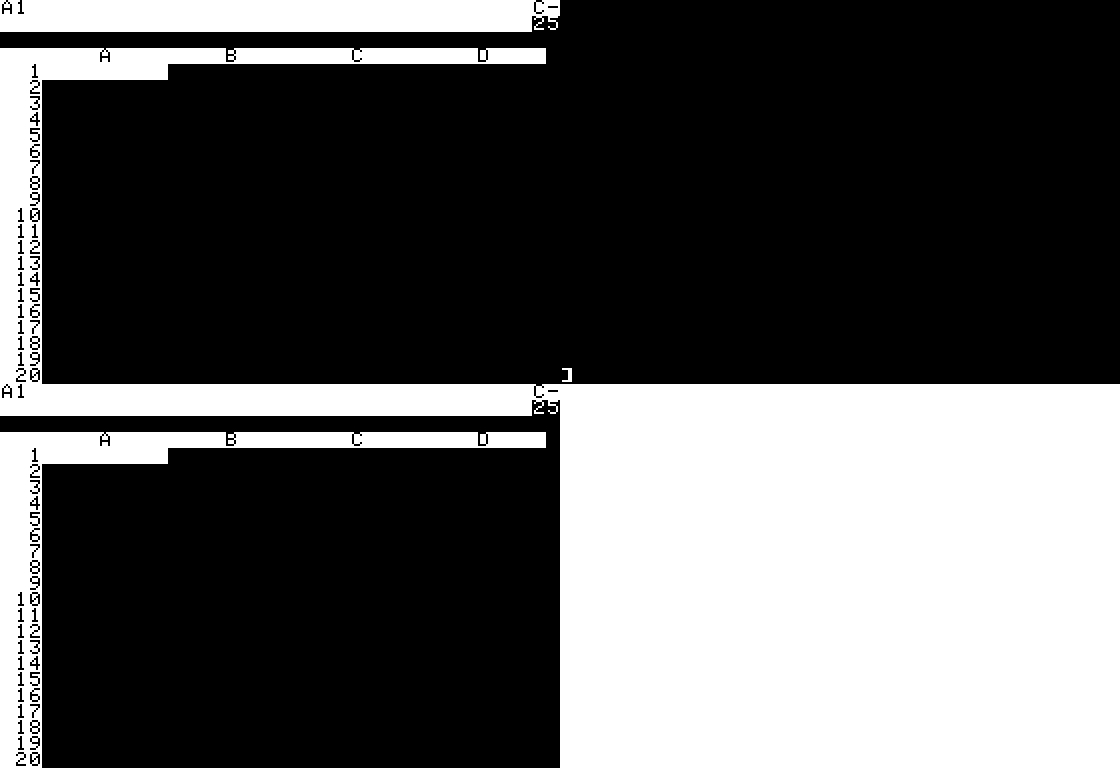
Source: Internet Archive item VisiCalc_1979_SoftwareArts, served at archive.org/serve/.../Visicalc1.37-1979_screenshot.gif. Shows the canonical empty grid — active cell A1, columns A B C D across the top, rows 1 through 20+ down the left, the original monochrome white-on-black VisiCalc terminal output.
- The image is a screenshot, not a captured run. Per the prompt, we do not download or run the archived software; the Archive’s own item-tile screenshot is the reference asset.
- Cross-link l123.md — the modern-recreation lineage descendant. l123 explicitly targets Lotus 1-2-3 R3.4a (1993), which is itself the lineage descendant of VisiCalc through Multiplan and SuperCalc. The chain
VisiCalc → Lotus → l123is the keyboard-first grid lineage KN-86 is also in. - The deeper lesson is design discipline. VisiCalc shipped on a machine with 8 KB of RAM and a 1 MHz 6502, and the UI design accommodated those constraints by being small. KN-86 has vastly more headroom, but the disciplinary lesson — minimal chrome, keyboard as the only input, grid as the only canvas — is what made VisiCalc work and what should make the Deckline work.